

Smart home automation scenes let you control multiple devices with a single action, creating a home that responds to you. Whether you want your lights to dim, music to play softly, and doors to lock when you say “Good Night,” or you want to automate your morning routine, smart home automation scenes make it possible with minimal effort. This guide reveals how to set up the best automation scenes, avoid costly mistakes, and use professional shortcuts for a smoother experience.
Key Takeaways
- Smart home automation scenes combine device actions into one seamless trigger, enabling true convenience and efficiency.
- Most challenges with automation scenes relate to ecosystem compatibility and scene reliability, not device quality.
- Planning, testing, and using modern standards like Matter and local control can prevent common smart home automation issues.
- The Core Concept: What Are Smart Home Automation Scenes?
- Step-by-Step Guide: Setting Up Reliable Smart Home Automation Scenes
- Advanced Analysis & Common Pitfalls of Smart Home Automation Scenes
- Conclusion
- FAQ
The Core Concept: What Are Smart Home Automation Scenes?
Smart home automation scenes are pre-set groups of actions across multiple devices, environments, or apps that trigger together based on conditions you define—like a “Leaving Home” button that turns off lights, arms the security system, and lowers the thermostat. Compared to automations that simply react to a sensor or schedule, scenes can create robust, personalized environments tailored to your daily routines.
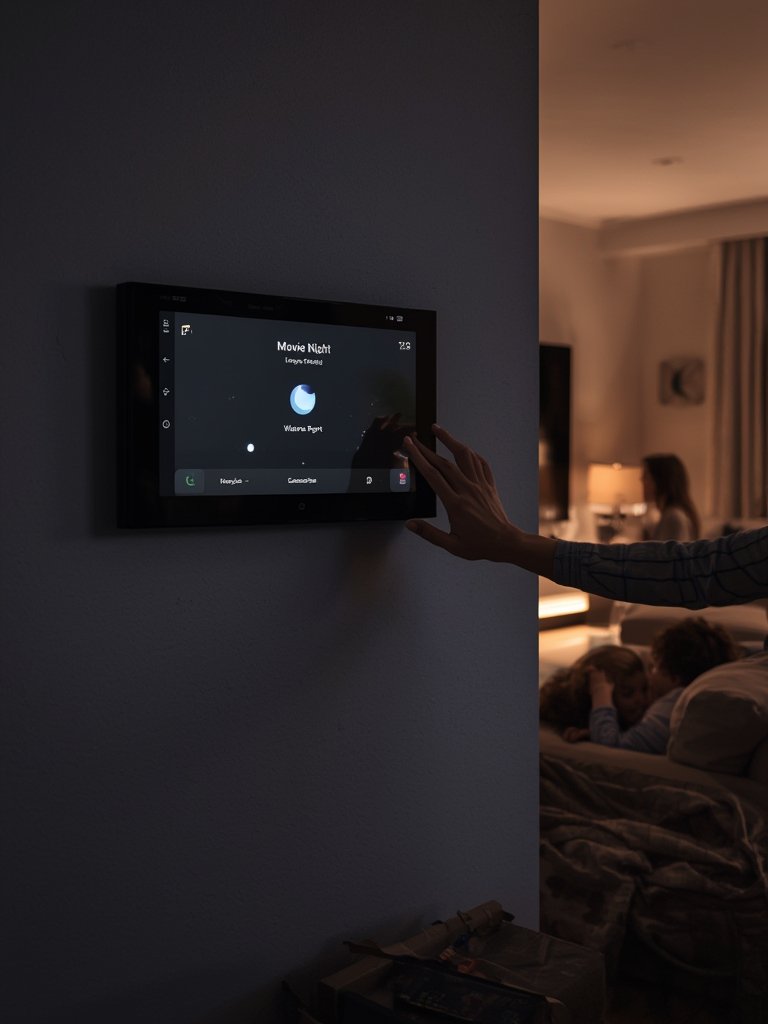
For example, with a smart home automation scene, you can trigger every light in your home to dim, shades to lower, and the TV to turn on for “Movie Night,” or set up a “Home Security” scene that locks every connected door and enables surveillance cameras. These capabilities are why 44% of smart homes feature integrated entertainment control and why ecosystems are investing in unified scene management (source).
Scenes are supported by major platforms like Amazon Alexa, Google Assistant, and Apple HomeKit. However, the actual devices that can be included in scenes depend on ecosystem compatibility. Common scene categories include:
- Welcome/Home Security Arrival
- Goodbye/Away
- Bedtime
- Wake-Up
- Movie Night or Entertainment
- Vacation or Security
Want to get even more advanced, with automation that predicts your needs? Explore predictive home automation for insights into how emerging AI can make homes even smarter.
Step-by-Step Guide: Setting Up Reliable Smart Home Automation Scenes
Follow this guide to design robust, future-proof smart home automation scenes that actually work every time:
- Map Out Your Daily Routines.
Start by walking through your typical day on paper. Identify moments when changing several devices together would boost comfort, security, or energy savings. - Choose Your Ecosystem and Scene Platform.
Is your home mostly Alexa, Google, Apple, or something else? Pick the central platform with the broadest device support in your home. Some users take time to migrate niche devices for scene reliability (source). - Check Device Compatibility.
Not every device supports scenes. Visit manufacturer lists, check for “scene support,” and look for badges like Works with Alexa, Google Home, Apple HomeKit, or Matter. - Name and Group Your Devices Strategically.
Use logical names like “Living Room Lamp” in your app; grouping makes scene setup faster and reduces confusion. - Create Your First Scene.
Use your chosen app to build a scene:- Set triggers (time, button, sensor, voice, geofencing, etc.)
- Add each device action with clear settings (on/off, brightness, lock, etc.)
- Save and assign a simple voice command if desired
- Test, Edit, and Optimize.
Try the scene multiple times and tweak any device action that fails or lags. Reliability matters more than complexity.
For most mainstream platforms, adding devices to scenes is as simple as checking a box. But to unlock advanced reliability, consider local-only control methods to prevent outages if your internet drops. Check out smart home local control for privacy-focused, always-on scenes.
If saving energy is your goal, integrate smart plugs and thermostats for scenes that power down non-essential electronics and regulate temperature. For expert guidance on maximizing these benefits, read our advice on smart home energy management.
Advanced Analysis & Common Pitfalls of Smart Home Automation Scenes
While setting up smart home automation scenes feels simple, real-world reliability can be a challenge. The major pitfalls come from fragmented platforms, outdated devices, WiFi instability, and confusing app interfaces. Based on recent market research and real user reports, here’s what you should watch for:
- Scene Reliability: Devices sometimes do not respond to group actions, especially in mixed-brand setups. Cloud outages or router issues cause failures.
- Limited Device Support: Not every device will support every scene. Older models or devices without standard protocols (Zigbee, Z-Wave, Matter) may not integrate smoothly (source).
- Privacy and Security Risks: More scenes mean more data flows between devices, increasing the risk surface. While 97% of users are satisfied with their devices, 79% still have concerns about privacy (see the latest user stats).
- Automation Fatigue: Too many scenes or notifications can annoy household members. Choose only impactful scenes aligned with real routines.
- Cross-Ecosystem Frustrations: If you mix Alexa, Google, Apple, SmartThings, and proprietary apps, expect conflicts or scenes that only partially function. Matter and Thread promise better interoperability—see our full guide to smart home interoperability.
| Pitfall | What Causes It? | How to Prevent or Fix |
|---|---|---|
| Unresponsive Devices in Scenes | Weak WiFi, app-cloud sync lag, or outdated firmware | Check device signal, update firmware, use local control |
| Partial Scene Activation | Devices from different brands or slow cloud response | Limit scenes to single-ecosystem devices or use Matter |
| Delayed Responses | Cloud reliance or shared WiFi network congestion | Use wired hubs, prioritize network traffic, or use Thread |
| Privacy Concerns | Too many online integrations or cloud processing | Move to local AI cameras—see local AI security cameras |
Security is another major concern—scenes that control doors, locks, and alarms should never be triggered by a single, easy-to-hack command. For top tips on securing critical routines, check our integrated smart home security systems guide.
Conclusion
Setting up smart home automation scenes is the fastest way to enjoy a connected, responsive home that adapts to your lifestyle. By planning your routines, using compatible devices, leveraging modern standards, and testing your scenes regularly, you’ll get consistent results without frustration. Start small, automate one routine, and scale as your confidence grows. Your smart, reliable home is just a scene away. Need more ideas? Check our deep dives into predictive automation and smart light scene automation—then set up your next automation today!
FAQ
What are smart home automation scenes?
Smart home automation scenes are grouped device actions that trigger together, like turning off all lights, locking doors, and adjusting the thermostat with a single voice command or routine.
Which devices can be included in smart home automation scenes?
Most modern smart lights, plugs, thermostats, locks, speakers, and security cameras can be included if supported by your chosen ecosystem (Alexa, Google Home, Apple, etc.). Check for compatibility with your hub or app before buying new gear.
Why do some devices not respond in a smart home automation scene?
Common causes include weak WiFi, cloud service issues, outdated firmware, or mixing brands that don’t fully support scene integration. Using a single ecosystem or switching to standards like Matter can increase reliability.
Are smart home automation scenes secure?
Scenes are as secure as the devices and apps controlling them. For sensitive routines (like door locks), use multi-factor triggers and strong passwords. Shift to local processing for enhanced privacy and avoid unnecessary cloud sharing when possible.
How do I make my smart home automation scenes more reliable?
Keep your devices updated, use wired or mesh networks, limit scenes to fully compatible products, and test automations after every platform change or app update. Local control hubs and Matter-compatible devices help avoid cloud outages.